This endpoint provides access to Published Plans for a project which can be a powerful way to establish a "cadence" based reporting routine (.e.g. comparing last week's performance against the prior week's) or the extraction and storage of historical plan data.
By accessing the Published Plans, you can ensure that any measurement of the data is based on reviewed and agreed plans by the project team.
The most common use cases of this endpoint are;
connection to Aphex-provided Power BI templates.
connection to Excel or Power BI to create custom-built reports across a project or series of projects.
consumption and storage via an ETL operation across one or many projects within a portfolio.
The Power BI API has three components.
Query Parameters
Data Model
You can access the API by querying the endpoint URL for your desired project and providing a valid Token.
As a Project Administrator, head to your project in the Aphex Planner app. From the Integrations page the API can be enabled.
This will uncover the API URL specific to that project. The URL structure will be;
From the same location you sourced the API URL, a new Token created. Create a new Token and name it i.e. Project Dashboard Token 1
You cannot retrieve the token later so you should save it in a secret manager. If you lose the token you can generate a new one.
To successfully authenticate your request to the API URL, set the Token in the Authorization header of the request.
This can be done three ways;
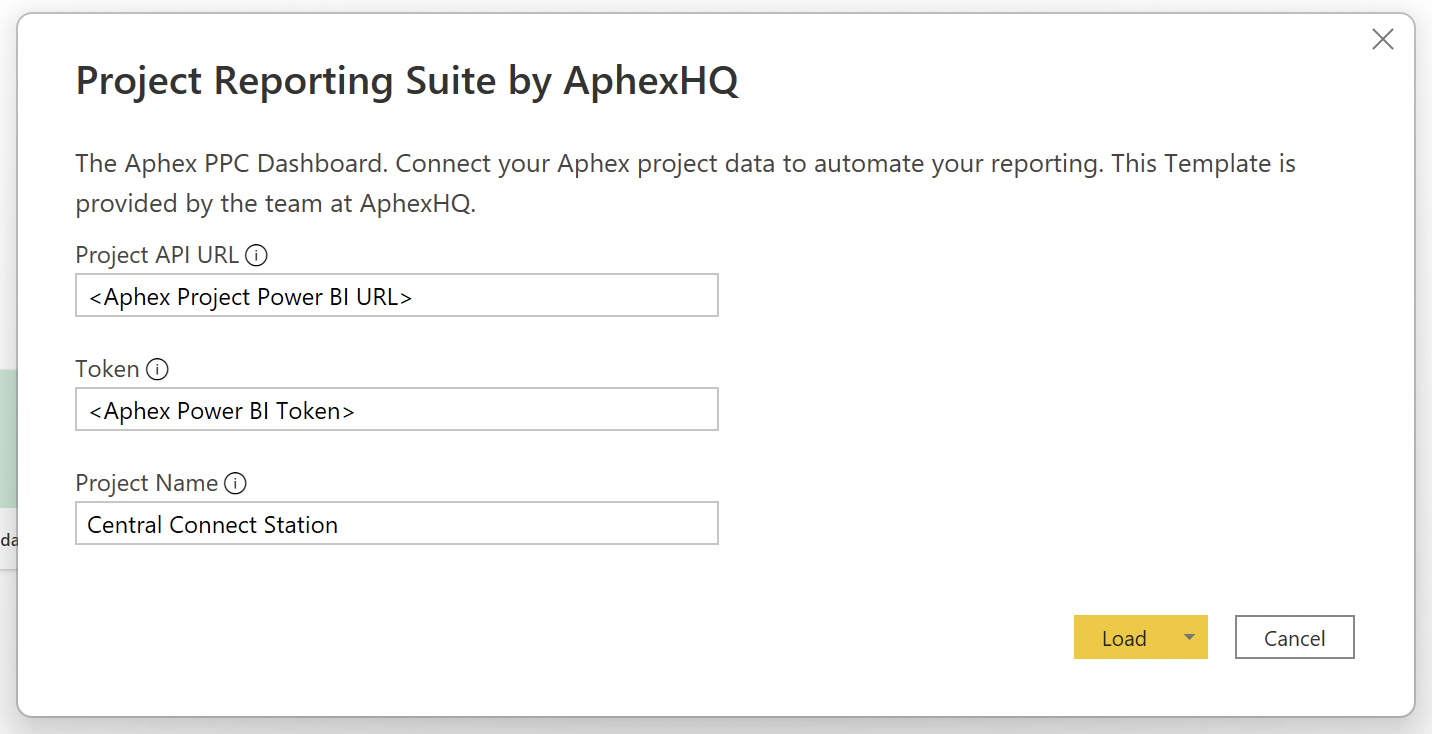
If you are using an Aphex Power BI Template, simply paste the URL and Token into the setup modal
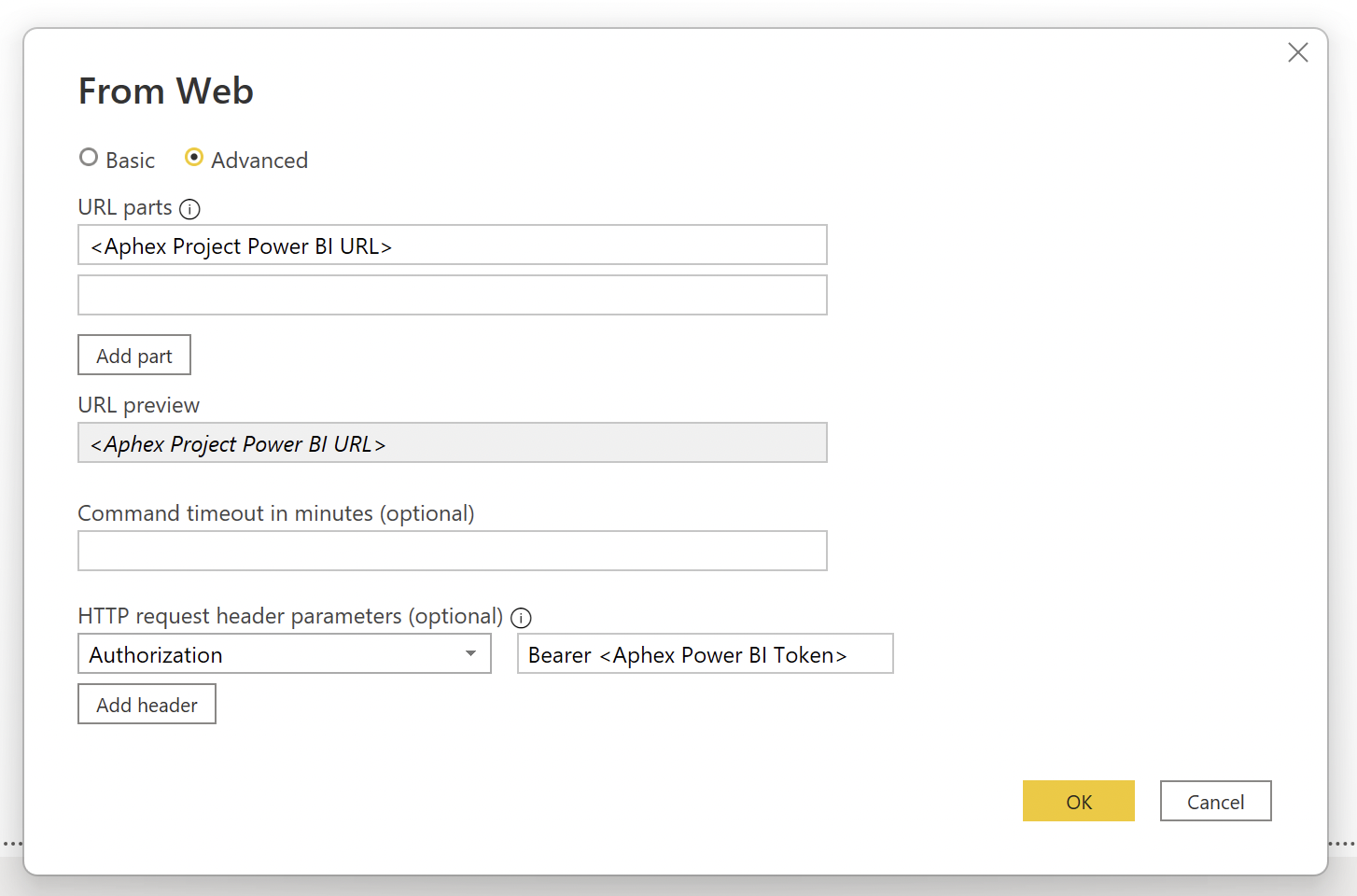
If you are generating your own report in Power BI, set up a new "Web" source. From within the Advanced menu enter the URL and header request key of Authorization with Bearer followed by your Token as the value.
If you are consuming the data in any other service construct a valid cURL request (example below).
Query parameters allow you to adjust what the response shall contain. To enable projects of varying size to get the most out of this API within the single response limit of 32Mb the following query parameters are supported;
Valid requests to the API will return a JSON response consistent with the API data model.
The Power BI API Data Model contains the following objects;
The Power BI API has a small number of restrictions and limits to ensure the availability of the system and the security of customer data.
Token Management Restrictions: As covered in section, requests to the API will only succeed if they follow the correct request structure and include both a valid URL and Token. Tokens are generated individually for a Project, by a user with Project Admin rights.
Token Validity Limits: Generated tokens have a maximum lifespan of 3 months to ensure that over time, project data is secure by default. On expiry, or at any time, new tokens can be generated for the project.
Limits: To stay within infrastructure limits and avoid paged responses on this end point, a response limit of 32Mb exists. If you experience a server error, please try reducing you data request by passing in query parameters. There is also a hard data history limit of 6 months.
Blockers
blockers=boolean
This parameter will determine whether blockers are included in the response. If not provided, the response will default to true
Fair Use Policy: The API endpoint is designed to support periodic (usually weekly) requests from projects. Use of the service outside that threatens the availability of the service for other projects could result in a suspension of the service for the offending project.
https://app.aphex.co/power-bi/v1/<your_api_account_id>curl \
-X GET \
-H "Authorization: Bearer $<your_token>" \
https://app.aphex.co/power-bi/v1/<your_API_account_id_here>Limit
limit=number
This parameter will determine how many of the historical published versions are returned. If not provided, the response will default to 5
Status
status=boolean
This parameter will determine whether status events are included in the response. If not provided, the response will default to true
Resource
resource=boolean
If you are looking for the quick guide to setting up Power BI for your project, check out this guide here
Note to enable responses greater than 32Mb please ask about an Enterprise plan.
The Versions of the Tasks included in each of the Publications along with all Task properties.
Response
Task ID
Publication ID
Task Name
Start
End
Duration
Calendar
Shift
Owner Name
Owner Email
Subcontractor
Work Area ID
Location Name
Location Type
Folder Path
Folder Name
External ID
Package ID
Package Name
Parent ID
Milestone *
Status
Notes
Blockers
AssigneeEmails
AssigneeNames
Tags
TargetDate
*Milestones will appear as Key Task [true / false] in the response
Note to enable responses greater than 32Mb please ask about an Enterprise plan.
This parameter will determine whether labour, plant and material assignments are included in the response. If not provided, the response will default to true